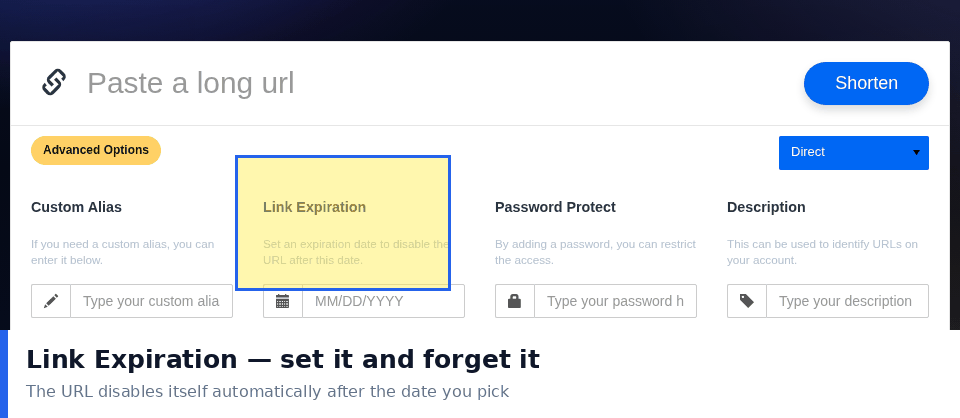
Most short links should live forever. A link you shared three years ago still needs to work if someone finds it, and an unexpected expiry is indistinguishable from a broken site. There are, however, situations where a link genuinely should stop working, and getting that decision right is more subtle than it first appears.
The question is not whether you can set an expiry. It is whether the link will still be useful later, and whether an unexpected visitor is better served by a live page or a clear end.
Cases Where Expiry Makes Sense
- Time limited promotions. A discount that ends on a date should not keep redirecting to a page that no longer offers it.
- Event logistics. Venue details, schedules and booking links lose their purpose once the event is over.
- Temporary access. Files shared for a project, or credentials for a short engagement.
- Experimental links. Test placements where you want data but not permanence.
- Reducing clutter. Links created for a single message and unlikely to be reused.
Cases Where Expiry Is a Mistake
- Anything printed. Posters, packaging and business cards cannot be updated when a link dies.
- Links in permanent content. Blog posts, documentation and help pages outlive the campaign that created them.
- Shared references. Anything someone might reasonably bookmark or cite.
- Anything you cannot inventory. If you cannot list every place the link appears, you cannot tell what you are breaking.
- Links used for support. Customers may return to a link months after receiving it.
What Actually Happens When a Link Expires
The visitor experience matters more than the mechanism, and it is where most implementations fail.
- A plain error page. The worst outcome. It looks like a broken site and damages trust.
- A message explaining the situation. Far better. Say what ended and when.
- A redirect to a relevant replacement. Best when a successor exists, since the visitor still gets what they wanted.
- Silence. The worst of all, and common when expiries are configured and forgotten.
Choosing the Right Duration
- Match the campaign, not the calendar. A promotion ending in six weeks needs an expiry after that, not at the end of the month.
- Add a buffer. People arrive late, and a link that dies at midnight on the final day will disappoint everyone who reads the message the next morning.
- Longer is usually safer. An expired link is a visible failure, while a stale destination is a quiet one.
- Prefer manual retirement for important links. Set a reminder and repoint the destination rather than relying on an automatic cut off.
- Document every expiry you set. Otherwise it becomes a future mystery.
Expiry Versus Editing the Destination
These are often confused, and the distinction matters. Expiring a link ends access. Editing the destination keeps the link alive and sends the visitor somewhere new.
- Use editing when a successor exists. The old promotion becomes the new promotion, and everyone who has the link keeps working.
- Use expiry when the content is genuinely gone. A completed event has nothing to redirect to.
- Editing is usually the better default because it converts a potential failure into a working visit.
- Combining both is reasonable for campaigns that run in seasons, with a redirect during the gap.
Working Alongside Password Protection
Expiry and password protection solve different problems and pair well. A password limits who can get in, while an expiry limits how long the door stays available at all. For a document shared with a client during a project, both together mean access does not persist after the engagement ends and you do not have to remember to revoke anything manually.
Reviewing Expired Links Later
- Check what actually expired. Some links you expected to be temporary are still receiving clicks.
- Look for links expired by mistake. Silent failures accumulate without anyone noticing.
- Confirm nothing printed is affected. This is the failure that causes real damage.
- Repoint rather than rebuild. Where a successor exists, editing beats creating a new link.
- Keep a record of what each link pointed to. Without it, you cannot decide what to do with it now.
Setting Expiry on Links You Do Not Own
Not every link is created inside your own account, and this changes what is possible when you want something to stop working.
- Platform generated links. Marketplace and booking systems often expire links themselves, on a schedule you cannot see or change.
- Partner links. If someone else created the short link, you cannot edit or expire it, and their decision will affect you.
- Choose your own links for anything durable. Printed material especially should never depend on someone else renewal decisions.
- Check platform links periodically. A link that worked at launch may have quietly expired months later.
- Keep a duplicate you control. For anything important, create your own short link as the primary and treat the platform one as secondary.
The wider principle is that control over expiration is worth having, even if you never use it. A link you own can be edited, extended, redirected or ended at any point. A link you do not own can vanish without notice and leave you with no way to repair the damage in printed material you have already distributed. When the choice exists, prefer the option that lets you change your mind later.
Why Most Links Should Simply Keep Working
The default advice is unglamorous: leave links alone unless you have a specific reason to end them. The cost of an expired link is a visitor who arrives expecting something and finds nothing, and that cost is paid silently, years later, by people you will never hear from. Expiry is a tool for genuinely temporary situations, not a tidiness measure for your link dashboard. The links cluttering your list are not harming anyone, while the ones you quietly expire in the name of organisation very well might be.