
A QR code is only as simple to scan as the data behind it. Every character you add makes the pattern denser, which means the code has to be printed larger or scanned from closer range. Putting a long tracking URL directly into a QR code is the single most common reason a printed code fails to scan reliably.
Pairing a QR code with a short link solves this, and adds two things a static code cannot do: tracking and the ability to change the destination later.
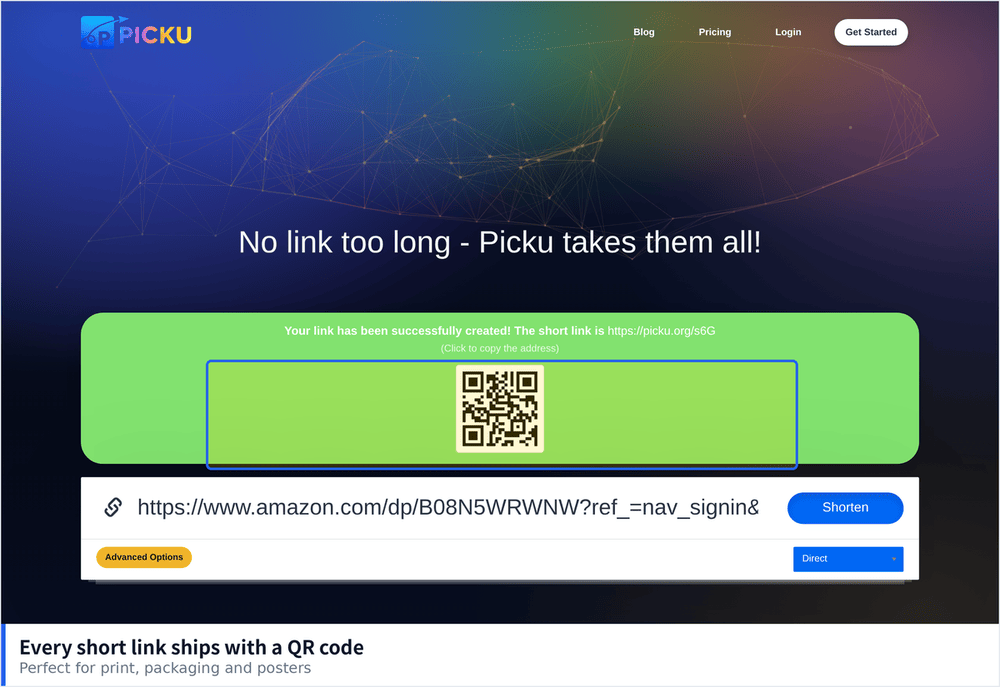
Why Shorter Data Makes Better Codes
QR codes encode text as a grid of modules. More characters means more modules, and more modules means each one is physically smaller at a given print size.
- Denser codes need higher resolution. A long URL can require a code that is unreadable below about five centimetres.
- Small modules are sensitive to print quality. Ink spread on absorbent paper blurs fine detail first.
- Scanning distance increases with density. A short link allows the same code to be read from further away.
- Curved or textured surfaces amplify the problem. A code on a cup or a fabric label needs all the margin it can get.
What Changes When You Use a Short Link
- The code stays scannable at small sizes. Shorter data means a simpler pattern.
- You can edit the destination after printing. This is the real advantage. A printed code cannot be changed, but the link behind it can.
- You get scan data. Counts, approximate location, device type and time, which a static code gives you no way to collect.
- You can expire it. Useful for campaigns, events and time limited offers.
Choosing Error Correction
QR codes include redundancy so they can be read even when partially damaged. Higher redundancy means a more complex pattern.
- Low. More of the code is available for data, suitable for clean digital display.
- Medium. A reasonable default for most print use.
- Quartile or High. Worth it when the code may be scratched, partly covered, or applied to an uneven surface.
- Higher correction needs a larger print. If space is tight, shorten the link further rather than reducing correction.
Print and Display Rules
- Keep a quiet zone. Leave clear space around the code on all four sides, roughly four modules wide.
- Use dark on light with strong contrast. Light grey on white and inverted colour schemes both cause failures.
- Respect minimum size. For anything scanned by hand at a normal distance, do not go below about two centimetres.
- Avoid placing it across folds or seams. Distortion breaks the grid even when the print is sharp.
- Test with the actual printed item. Not with the file on your screen, which always scans more easily.
Dynamic Versus Static Codes
This distinction matters more than any design detail. A static code contains the destination itself and can never be redirected. A dynamic code contains a short link, which means the target can change without reprinting anything.
- Use static only when you are certain the destination is permanent. WiFi credentials and fixed identifiers are reasonable cases.
- Use dynamic for anything printed at volume. Reprinting a thousand flyers over a typo is expensive.
- Remember the dependency. A dynamic code depends on the shortener staying online, so choose a service you expect to be around.
Where QR Codes Earn Their Place
- Printed material. Flyers, packaging, business cards and signage.
- Physical locations. Table cards, window displays, product labels.
- Events. Badges, posters and session materials where typing a URL is impractical.
- In person sharing. Displaying a code on a screen so several people can scan at once.
Mistakes That Break Codes
- Encoding a long tracking URL. The most common error, and it directly reduces scan reliability.
- Placing the code on a busy background. Patterned surfaces confuse the scanner.
- Using brand colours without checking contrast. Many brand palettes fail badly when converted to a scannable code.
- Forgetting to test after printing. Print processes vary, and the proof is not the final item.
- No fallback. Always include a readable short link in text next to the code for anyone who cannot scan.
Testing Before You Commit
Before a print run, run through a short checklist. Scan the physical item with two different phone models, at the distance people will actually stand, under the lighting where it will be used. Check the destination loads quickly on mobile data rather than office Wi-Fi. Confirm the short link is tagged so you can attribute the scans, and verify that editing the destination later works as expected.
Choosing the Right Link for the Code
Not every short link works equally well behind a printed code, because the scanning environment is less forgiving than a screen.
- Keep the slug short and lowercase. Fewer characters means fewer modules, and lowercase avoids any ambiguity when the code is regenerated.
- Avoid characters that invite typos. If anyone retypes the link manually, mixed case and similar looking characters cause failures.
- Do not append tracking parameters to the code target. Put the parameters on the destination instead, so the encoded data stays short.
- Use a separate short link for each placement. Ten posters with ten different links give you ten times the information.
Designing for the Second Scan
Most QR code projects are judged on whether the first scan works, but the more useful question is whether the code keeps working six months later when the campaign has changed, the product has been renamed, or the landing page has been redesigned. Building that in from the start means one habit: never put the final destination in the code. Put a short link there instead, keep a record of what each code points to, and check the scan numbers occasionally. The extra five minutes at creation time is what separates a code that stays useful from one that quietly becomes a dead end printed on material you cannot afford to replace.