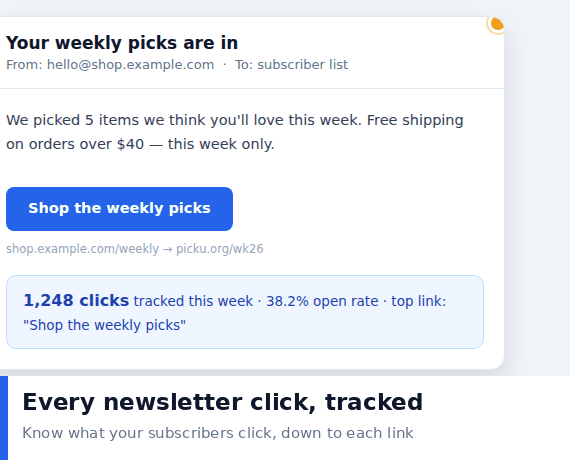
Email is the most measurable channel most people have, and the most commonly misread. Open rates have been unreliable for years because of image blocking and privacy features, but clicks are a real human action. If someone clicked, they were there and they were interested.
The difficulty is not collecting the number. It is working out which of your tools is telling the truth, and what the number actually means.
Why Opens Are Not Worth Trusting
- Image blocking. Many clients do not load images by default, so the tracking pixel never fires.
- Privacy features. Several major providers now pre-fetch or proxy images, inflating opens with events no human caused.
- Apple and Google changes. Both have reduced the reliability of open tracking significantly in recent years.
- The practical consequence. Use opens for rough trends at best, and never as your primary success metric.
Why Clicks Are More Honest
- A click requires a person. Automation rarely clicks through, and when it does it is easy to spot.
- Clicks measure intent. The subscriber chose to act rather than merely receive.
- Clicks connect to outcomes. The click leads somewhere measurable, which opens do not.
- Click data survives privacy changes. The mechanics are far less affected by the features that broke open tracking.
Three Places Clicks Get Counted
Understanding which layer is reporting what prevents most confusion.
- Your email platform. Counts clicks on links it rewrote to pass through its own tracking domain.
- Your shortener. Counts clicks on short links you inserted yourself.
- Your analytics platform. Counts sessions that arrived with tracking parameters attached.
These numbers will never match exactly, and they are not supposed to. Different tools count different events.
About the Discrepancies
- Pre-fetching. Some security scanners follow links before delivery, which the shortener records and the platform ignores.
- Bot filtering. Platforms filter more aggressively than most shorteners do.
- Redirect interception. A privacy tool may open the link in a sandbox before the visitor arrives.
- Repeat clicks. One person clicking three times counts as three in most systems.
- Attribution windows. Analytics may credit a visit to a different channel if the parameters were stripped along the way.
Setting Up Tracking Properly
- Tag every link consistently. Source, medium and campaign at minimum.
- Use a distinct short link per placement. Header, body and footer should each be separable.
- Keep naming consistent across sends. Otherwise monthly comparison becomes guesswork.
- Test the full path once. Send to yourself and confirm the tag survives to analytics.
- Record which link went where. Without this, the numbers have no meaning a month later.
What to Do With the Numbers
- Compare placement, not just totals. Where the click happened tells you how to structure future emails.
- Look at clicks relative to list size. Raw clicks grow with the list and hide declining engagement.
- Follow through to the destination. High clicks with immediate exits mean the email promised the wrong thing.
- Track over time. A slow decline is normal; a sudden drop usually means a deliverability problem.
- Segment by behaviour. People who clicked once are more likely to click again.
Common Mistakes
- Judging a send on open rate. The number is largely noise now.
- Using the same link for every section. Makes the distribution data useless.
- Tagging with inconsistent capitalisation. Splits your data into duplicate categories.
- Forgetting that plain text emails cannot carry tracking. Link-based tracking still works, but pixel-based does not.
- Ignoring the first hour. Most clicks arrive within minutes, so a slow trickle suggests a delivery problem rather than low interest.
When Your Email Tool Does Not Support Tracking
Plenty of people send email through tools that offer no click reporting at all, or through a provider that strips tracking links for privacy reasons. A short link restores most of what is lost.
- Use a distinct short link per send. It becomes your only source of click data, so make it count.
- Give each link a readable slug. It doubles as a way to recognise which send a click came from months later.
- Accept the limitation. You will see clicks but not opens, and that is a reasonable trade.
- Keep a simple record. One line per send listing the link and the date is enough to make comparison possible.
- Watch for the shortener being blocked. Some corporate mail systems rewrite or block unfamiliar domains, so test with your own organisation first.
Plain Text Versus HTML Emails
The format changes what can be measured, and the difference is often overlooked.
- HTML emails can carry both pixels and tracked links. Clicks remain the more reliable of the two.
- Plain text emails cannot carry a pixel at all. Link based tracking still works, which is another argument for relying on clicks.
- Some clients block images by default. Which means even in HTML, the pixel may never fire.
- Clicks work the same in both formats. This consistency is why they make a better primary metric.
- Test each format once. Send yourself both and compare what arrives in the reports.
Building a Habit That Sticks
The tools are not the hard part. Consistency is. The people who get value from email measurement are the ones who tag links the same way every time, keep a simple record of what was sent and when, and look at the data on a fixed schedule rather than after every send. A monthly review comparing this month against last is enough to catch declining engagement, identify which placement performs, and notice when a deliverability problem is beginning, all of which are invisible if you only ever look at a single send in isolation.