
Free URL shorteners are easy to find and hard to compare. Every one of them will turn a long address into a short one, and every one of them claims to offer analytics. The differences only show up after a few months, when you discover that the free plan caps your branded links, deletes your click history, or quietly stops working on the domain you picked.
This guide looks at what free actually costs you, which tools hold up under real use, and the point at which paying becomes the cheaper option.
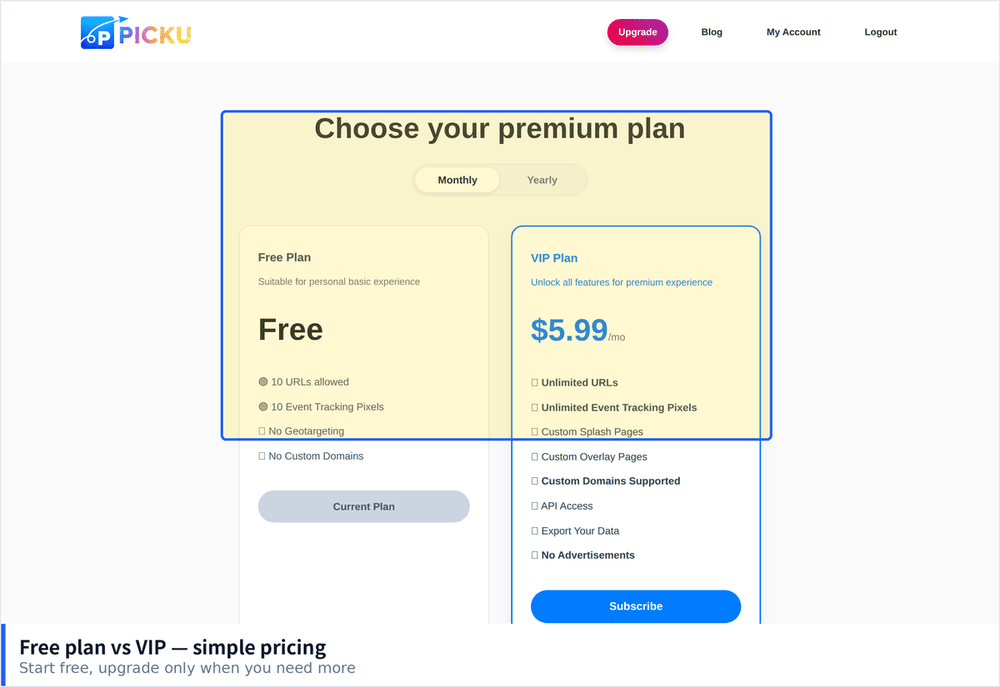
What Free Plans Usually Restrict
Short links are cheap to create and expensive to maintain, because every link has to keep working forever. That ongoing cost is why free tiers exist but stay limited. The restrictions tend to fall into five categories.
- Branded domain allowances. Many services let you shorten links but only allow a handful on your own domain before asking for payment.
- Analytics retention windows. Detailed click data may be kept for thirty or ninety days, after which only a total count survives.
- Link editing. Free accounts often cannot change a destination once a link is published, which means a typo becomes a permanent dead end.
- Expiration policies. Some platforms deactivate links with no clicks for an extended period. If you use short links for archival material, this is a serious risk.
- No custom slugs. Auto generated codes are fine until you need one you can read aloud or print on paper.
How to Judge a Free Shortener
- Check whether links survive account inactivity. This is the single least advertised policy and the most damaging.
- Confirm HTTPS on custom domains. A short domain without a valid certificate will trigger browser warnings and kill your click rate.
- Look at what happens to old click data. A tool that keeps twelve months of history is worth more than one with a prettier dashboard.
- Test the redirect type. A 301 redirect is cached by browsers, which is fast but hard to reverse. Check whether you can choose.
- Read the export options. If you cannot download your links, migrating later means starting from nothing.
Options Worth Considering
TinyURL
No account required, which remains its biggest advantage. You paste a link and get a short one in a single step. Recent versions added custom aliases and basic statistics. The trade off is that free links live on a shared domain, so you build no brand recognition, and analytics stay shallow.
Short.io
Offers a genuinely usable free tier that includes a custom domain, which is unusual. Click data includes country and referrer breakdowns. The interface is aimed at people who will eventually pay, but the free plan is functional enough for a small project.
PicKu
Covers the features most people actually use: custom domains with automatic HTTPS, per link analytics with device and country detail, password protection, expiration dates, QR codes, and the ability to edit a destination after publishing. Links do not expire from inactivity, which matters if you are shortening references or documentation. It suits individuals and small teams who want capability without a per seat contract.
Is.gd
Minimal, fast and completely free with no visible limits on volume. statistics exist but are basic. It is a good choice when you need raw shortening at volume and nothing else.
Rebrandly
Free tier is limited but the branded link tooling is the most refined of the group. Worth evaluating if the short domain itself is the point of your links.
When Paying Becomes the Cheaper Choice
Free is right when links are occasional, disposable, or internal. It stops being right at fairly predictable moments.
- You print links on physical material. A link on packaging, a poster or a business card cannot be corrected later, and it must not expire.
- Campaign reporting matters. If someone asks which channel produced the clicks, thirty days of history will not answer the question.
- More than one person manages links. Shared credentials on a free plan cause problems that cost more than a subscription.
- The short domain carries your brand. Shared domains build recognition for the shortener, not for you.
Setting Up Your First Short Domain
Buying a short domain is the step people overthink. The ideal length is under fifteen characters, but availability matters more than elegance, and there are still plenty of good combinations left if you are willing to use an uncommon extension.
- Pick a name you can say out loud. If someone cannot spell it back to you after hearing it once, it will cause problems every time you share a link verbally.
- Avoid hyphens and numbers. They are remembered wrong roughly half the time, and a mistyped short link sends traffic nowhere.
- Check the domain history. A cheap expired domain may carry a spam reputation that affects how messaging apps treat your links.
- Point it at the shortener with a CNAME record. Most services walk you through this, and the certificate is usually issued automatically within a few minutes.
- Create one test link and click it from a phone. Confirm the certificate is valid, the redirect is fast, and the destination opens as expected before you share anything publicly.
Once the domain is connected, resist the urge to shorten everything. Links you control on your own site do not need a shortener, and a short link adds a point of failure wherever you use it. Reserve them for places where length, branding or tracking genuinely matter.
Questions to Ask Before You Commit
Before settling on any free tool, spend five minutes checking four things: whether inactive links get deleted, how long click data is retained, whether you can change a destination after publishing, and whether you can export the full list of links. Tools that answer all four well are the ones you can safely build on. Tools that dodge any of them are fine for experiments and risky for anything you intend to keep, because the cost of discovering the limitation later is rebuilding every link you have already shared.