
Most links are meant to be open. Some are not, and the difference is usually not about secrecy in the dramatic sense. It is about keeping something out of search results, off a public timeline, or limited to the people who were actually meant to see it.
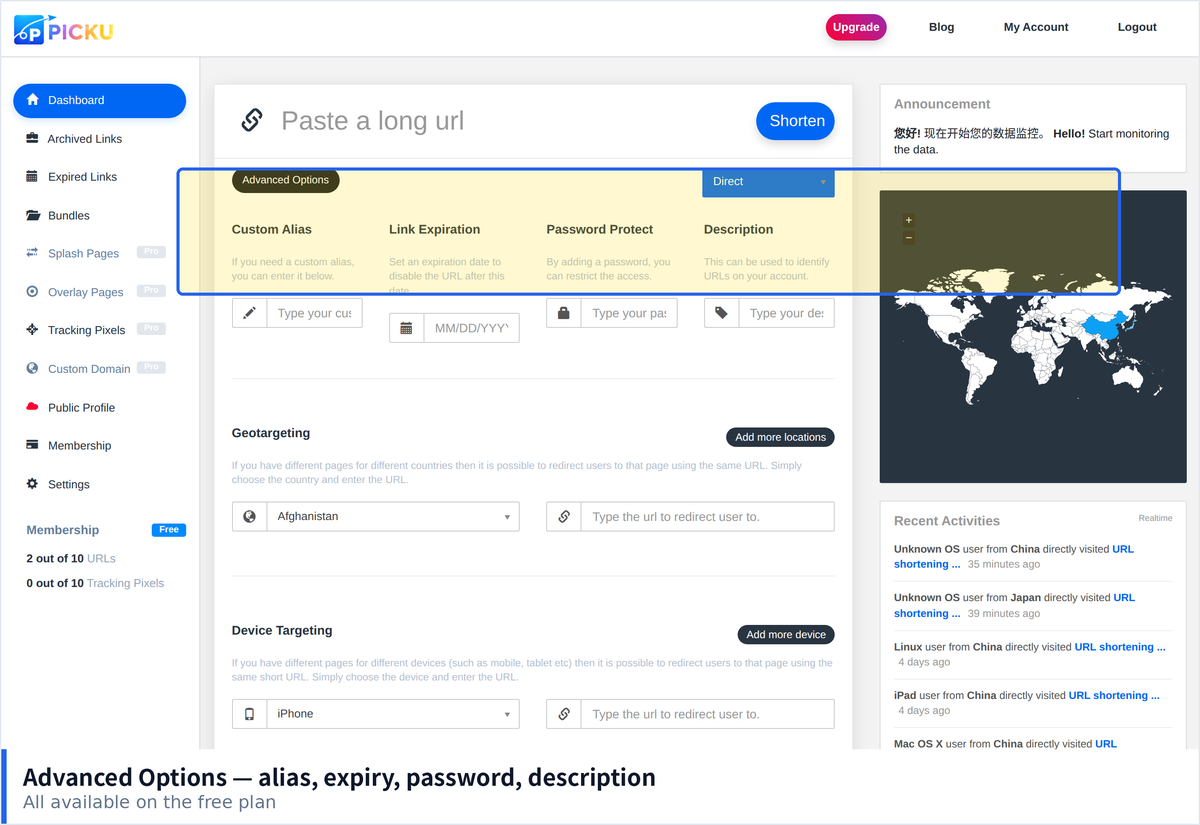
Password protection on a short link adds one step between the visitor and the destination. Used in the right places it solves a real problem. Used as a substitute for proper access control it creates a false sense of safety.
What It Actually Protects Against
- Accidental discovery. A link pasted in the wrong window, or shared onward without thinking.
- Search engine indexing. A protected destination is far less likely to appear in results.
- Casual snooping. Someone who finds the link cannot see what is behind it.
- Forwarding beyond the intended group. A password is harder to pass on casually than a link.
What It Does Not Protect Against
This list matters more than the one above, because expecting the wrong thing from a link password is how people get hurt.
- Anyone the password was shared with. There is no way to know who is using it.
- A determined attacker. A single shared secret is not strong authentication.
- Sensitive personal or financial data. Use real account access controls for those.
- Anything that needs an audit trail. If you must know who accessed what, this is not the tool.
- Content you would be harmed by leaking. Treat protection as a speed bump, not a vault.
Situations Where It Fits Well
- Sharing drafts. A client preview that should not be public yet.
- Small group distribution. Internal documents, event materials, or files for a specific team.
- Launch timing. Something ready early that must not circulate before the date.
- Keeping content out of search. A page that only makes sense in context.
- Reducing noise. A resource meant for a handful of people rather than everyone.
Choosing a Password People Can Actually Use
The password has to survive being sent through a chat app or read aloud on a call, which rules out the strongest options.
- Use several unrelated words rather than random characters. Longer, easier to convey, and not much weaker.
- Avoid symbols that get mangled. Some characters break when copied between apps.
- Avoid obvious choices. The project name, the year, and the word password are guesses people try first.
- Do not reuse a password you use anywhere else. These get shared far more casually than account credentials.
- Change it when the group changes. Someone leaving is the usual reason to rotate.
How to Share the Password
- Send it through a different channel than the link. The whole point is that one compromise does not give away both.
- State it separately. A password in the same message as the link offers almost no protection.
- Tell people what to expect. An unexplained password prompt causes most visitors to leave.
- Keep the message short. Long instructions get skimmed and the password gets missed.
Designing the Page Around It
- Say who it is for. Context stops people from assuming the link is broken.
- Offer a way to ask. An email address or contact link turns a dead end into a request.
- Keep it simple on mobile. This is where nearly all attempts happen.
- Avoid revealing what is behind it. A page that describes the contents defeats much of the purpose.
- Handle wrong entries gracefully. A clear message, not a blank screen.
Combining With Expiration
Password protection pairs naturally with an expiry date, and the two together cover most practical cases. A draft shared with a client can be protected and set to expire once the project closes, which means access does not persist indefinitely and you do not have to remember to revoke anything. The combination is more useful than either alone, because a password stops the wrong people at the door while expiry limits how long the door stays open at all.
Protecting Links Shared in a Group
Group distribution is where password protection is most often used and most often misapplied, because the password circulates faster than anyone expects it to.
- Assume the password will spread. In any group of ten, at least one person will forward both the link and the password together.
- Change it after the group changes. Membership shifts are the moment protection stops matching reality.
- Avoid a password that names the group. It confirms what is behind the link to anyone who guesses.
- Consider whether a password is the right tool at all. If everyone in the group is meant to have access, the protection is largely symbolic.
- Accept the honest purpose. In group settings it mostly prevents accidental discovery rather than deliberate access.
That last point is worth sitting with. Password protection is a filter for carelessness, not a barrier against intent. Teams that understand this use it for the right situations and avoid expecting it to do work it was never designed to do, which is usually the difference between a helpful safeguard and a false sense of security.
Being Honest About the Limits
The most common mistake with protected links is treating them as confidential channels. They are not. A shared password cannot tell you who used it, cannot be revoked from one person, and can be forwarded as easily as the link itself. Used with that understanding, password protection is genuinely useful for drafts, small distributions and anything that merely needs to stay out of the way of search engines and casual eyes. Used as a substitute for real access control, it creates exactly the kind of quiet overconfidence that turns a minor leak into a serious incident.